You describe a tool you want, the AI produces code, and you try the result. Then you explain what should change. That conversation can make a small app feel much more approachable than starting with an empty editor.
The phrase “vibe coding” is often used loosely. In this guide, it means building through natural-language instructions and repeated experiments with AI-generated code. Some people use the term more narrowly for a process in which they pay little attention to the code itself. That distinction matters: understanding and reviewing what you ship remains part of responsible software development.
This is an explanatory guide, not a claim that an app was built, deployed, or made profitable through this process.
What the process looks like
Suppose you want a simple tool to collect tennis players' availability. You explain the task, ask for a first version, run it, and see whether someone can complete the scheduling flow. You might then ask for clearer time labels or a way to edit a response.
The AI can help turn a description into components, explain an error, or suggest a possible implementation. The useful feedback loop is concrete: describe the outcome, inspect the change, try it, and decide what to keep. Asking for an entire business platform at once makes it harder to tell which part is working.
Give the first prompt a small, testable job
A useful starting instruction includes the user, the task, and the boundary. For example:
Build a local prototype for a tennis group to collect availability. Let someone enter a name and select time slots. Show a summary. Use sample data only; do not add payments or publish it.
This is a hypothetical prompt, not a guarantee that any particular tool will implement it correctly. It gives you a clear result to inspect and prevents optional features from becoming the focus before the basic flow works.
Ask the AI to explain how to run the project and where information is stored. If the answer is unclear, resolve that before adding real user data. A page that looks interactive may still keep everything only in the browser and lose it on refresh.
Change one meaningful thing at a time
Save a working version before requesting a change. Describe the behavior you want and how you will recognize success. “Make it better” leaves too much room for an unrelated redesign. “After submitting, show the chosen slots and let the same person edit them” gives a specific behavior to check.
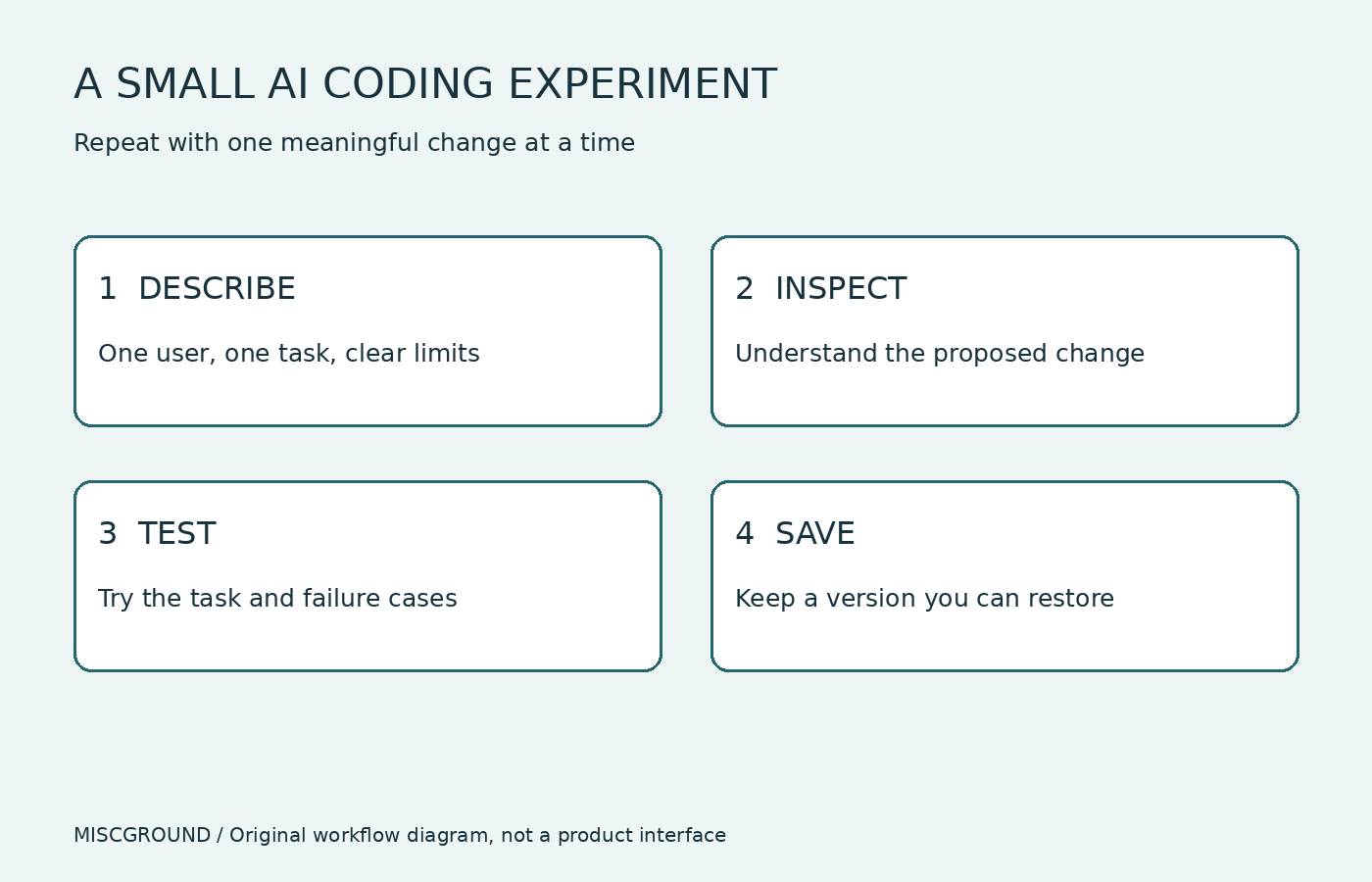
Original workflow diagram; not an actual AI product interface.
When an error appears, provide the relevant message and the action that triggered it. Remove credentials and private information from what you share. Avoid accepting a large rewrite simply because it makes one visible error disappear; check whether it removed behavior you still need.
A working demo is not the same as a ready service
Try the ordinary task first, then the awkward cases: empty input, duplicate submissions, a refresh, or a failed connection. If multiple people will use the app, check whether each person can access only the information they should see. Check the experience on the devices your audience uses.
GitHub's responsible-use guidance for its coding agents explicitly calls for reviewing and testing generated code. That is guidance about GitHub's tools, but it supports a broader practical habit: do not treat generated code as verified simply because an assistant says the task is complete.
Ask what changed, which checks were run, and what remains untested. Inspect the relevant code or seek qualified review when a feature affects accounts, payments, private information, or other consequential operations. An AI explanation can help you understand a decision; it does not replace evidence that the implementation behaves correctly.
Where it fits a side project
This approach can help explore an interface, automate a small repetitive task, or test whether a workflow is useful. It is less helpful when you cannot describe the problem, cannot evaluate the result, or keep expanding the scope before learning from users.
Before making the tool public, understand its recurring services, deployment process, data handling, and recovery path. Check current provider documentation for the tools you choose. This article does not compare current plans, promise a build time, or assume a prototype will attract paying customers.
A good first project is small enough that you can explain what it does and notice when it fails. Use the conversation to move faster through experiments, while keeping a clear record of what you have actually checked. That gives you something useful to build on when the prototype becomes more than a weekend idea.
Source and image note
- GitHub: Responsible use of coding agents — review, testing, and security limitations, checked November 1, 2026.
Cover photograph: Shopify Photos / Burst, used under the Burst license. It illustrates a coding activity, not an AI product demonstration. The body image is an original editorial diagram, not a product screenshot. A related app-business article exists as a draft; no internal link is added because a published URL has not been verified.