Choosing an AI assistant becomes easier when you replace “Which one is smartest?” with “Which one makes my recurring task easier to finish and verify?” A tool can produce an impressive first answer and still be inconvenient for the files, applications, or review process you use every day.
This is a research-based comparison checked on November 2, 2026, not a head-to-head performance test or a claim that one service always writes or codes better. Features, limits, and availability vary by account, plan, region, device, and settings. Check the relevant plan before subscribing.
A useful starting shortlist
| Your main task | A sensible starting point | What to verify in your account | |---|---|---| | Work that depends on Google applications | Try Gemini against your real workflow | Whether the required app connection and action are available | | Research with links you need to inspect | Test Claude and the other assistants using the same question | Whether search is active, sources are relevant, and claims match them | | A mix of documents, spreadsheets, images, and conversation | Try ChatGPT on a representative sample | Supported uploads, available analysis tools, and output quality | | Writing or coding | Compare all three with the same brief | Correctness, editing effort, tests, and preservation of requirements |
These are places to begin testing, not exclusive capabilities. The right decision can change if the necessary tool is unavailable on your plan.
Gemini: test how well it fits your Google workflow
Google's official Gemini apps overview describes connected tasks involving Gmail, Google Keep, Maps, and other applications. If your work begins with information in that ecosystem, reducing the steps between finding it and using it may matter more than the polish of a standalone chat response.
Try a narrowly defined task with non-sensitive information. Check whether the result is simply a suggestion or an action completed in the connected app. A feature advertised on an overview page does not establish that every account can use every action.
Claude: inspect the sources and the revision process
Claude's official help documentation describes web search with source citations and retrieval of supplied web links. That makes it a candidate for research that you want to discuss and revise in conversation. It does not establish that every cited statement is correct.
Give it a concrete question, ask for the evidence, and open the underlying pages. For writing, test whether it preserves the points you care about after several edits. Avoid relying on broad claims that one assistant is inherently the “most human” writer; the useful measure is how much work you need to make the output accurate and suitable for your audience.
ChatGPT: test the complete file or analysis task
OpenAI's capabilities overview describes tools for file uploads, data analysis, images, voice, and web research, with availability depending on subscription and settings. If you move between several kinds of work, test the complete task rather than only asking a general question.
For example, provide a small non-sensitive spreadsheet and ask for a calculation, a chart, and an explanation of the assumptions. Recalculate an example yourself. If you need an actual downloadable file, verify that the file exists and opens, rather than treating a message saying “done” as the deliverable.
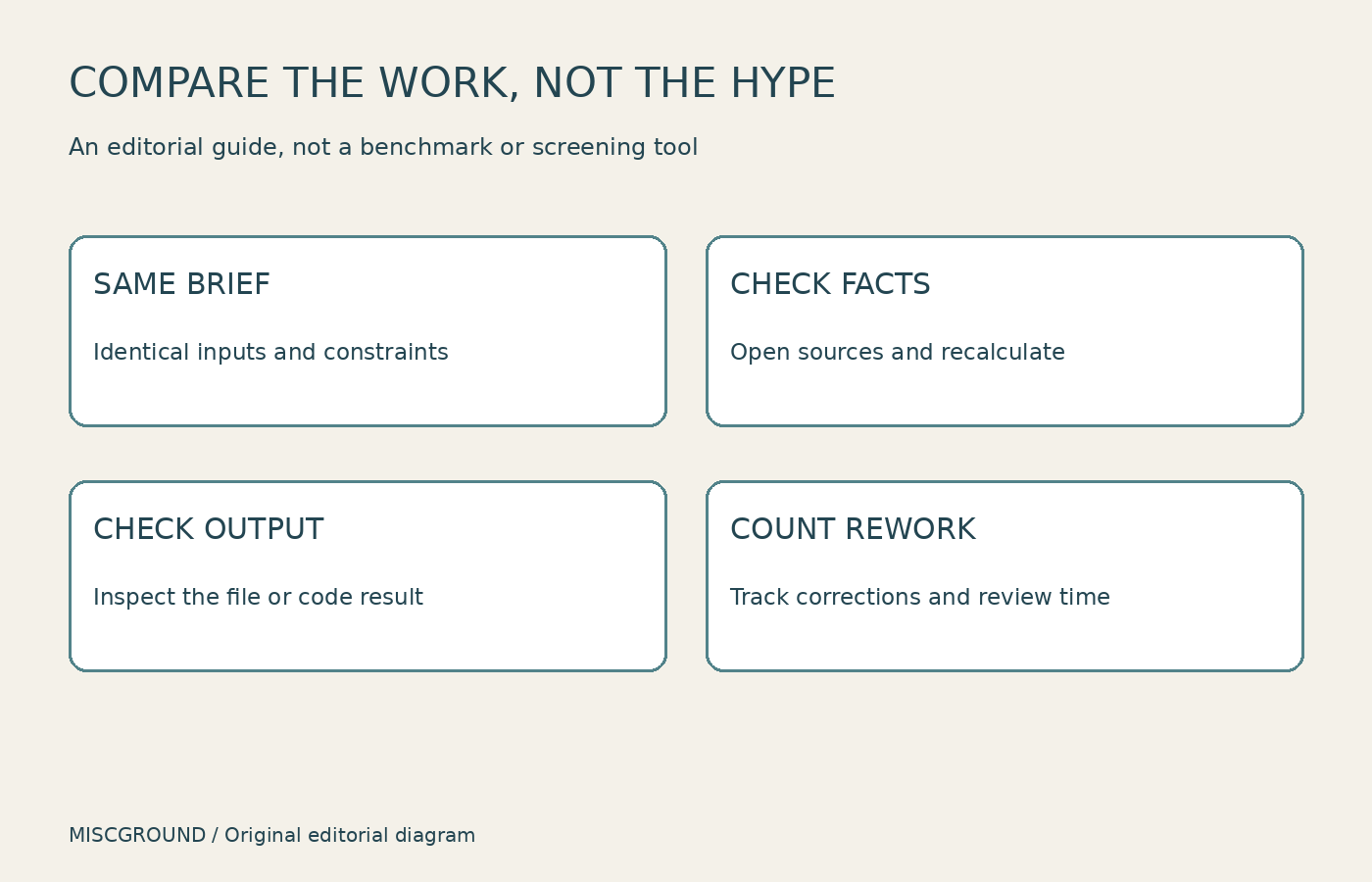
Original editorial comparison method; not a benchmark or a product screenshot.
Run the same small trial in all three
Choose work you already understand well enough to assess. Use the same source material, task description, and constraints. Tell each assistant what a successful result must include. Do not give one tool extra context and then interpret the difference as a model ranking.
A practical trial can include three tasks: summarize a document without losing a caveat; explain a calculation using the supplied numbers; and draft or repair a small piece of code with a checkable result. For current-information research, add a question whose answer you can verify from a primary source.
Record errors, missing requirements, the number of corrections, and the time you spend checking. A fast response that takes longer to repair may be a poor fit. Repeat a task if the difference would materially affect your choice; one response is not a reliable universal benchmark.
Compare the cost of your workflow, not just the subscription
Check current plans directly for the features you need. Consider usage limits, extra services, data access, and whether the workflow still requires another tool. This guide intentionally does not quote prices or model rankings that could become outdated quickly.
Before uploading work documents, check your organization's rules and the service's applicable data controls. A consumer account and an organization-managed account may have different settings. Connecting an application also deserves a review of the access you grant.
Start with one assistant that handles your most common work well. Add a second only when it solves a recurring gap you can identify. Paying for all three is not a substitute for knowing which tasks you want them to perform.
Official sources and image note
Checked November 2, 2026:
Cover: Laptop on Desk From Above / Burst, illustrative stock photography used under the license shown on its source page. It does not depict any of the compared AI interfaces. Body diagram created for this article.