The most useful thing about my Bambu Lab P2S is that it makes home printing feel accessible. The AMS is convenient, the community is helpful, and routine ownership has not felt especially demanding to me. But the machine is large, it is loud, and I notice filament odor.
Those are personal impressions, not laboratory measurements. This review combines those limited owner observations with manufacturer information; it does not claim controlled speed, noise, reliability, or emissions testing.
What I like about the AMS
My experience is that the AMS adds convenience. It reduces some of the friction around managing filament, which matters when you want to make an object rather than spend your evening preparing the machine.
For buyers comparing configurations, check exactly what the current listing includes. Bambu Lab’s P2S launch announcement identifies AMS 2 Pro as part of the P2S Combo. That does not establish which AMS version every existing owner has, and I am not assigning a specific version to my setup without confirming it.
Multi-color printing also has costs: material changes can increase waste and time. Decide whether that capability supports the things you actually want to make rather than choosing a bundle solely because its demonstrations look impressive.
The community matters as much as the machine
A useful design library can make a printer more valuable day to day. I appreciate being able to look for a model before starting from scratch. However, inspect instructions, dimensions, material requirements, and license terms for each model. Community availability does not mean every design is suitable for every use.
What the published features tell you
Bambu Lab’s official P2S introduction lists a 256 × 256 × 256 mm build volume, a 5-inch touchscreen, automated flow calibration, a quick-swap hotend, and camera-based error detection. These are manufacturer specifications, not independently verified performance results from my ownership.
The build volume describes printable space; it does not describe how much desk space the full setup needs. Leave room for access, filament handling, and maintenance. Error detection is assistance rather than a guarantee that every failure will be caught.
Size and noise deserve attention before buying
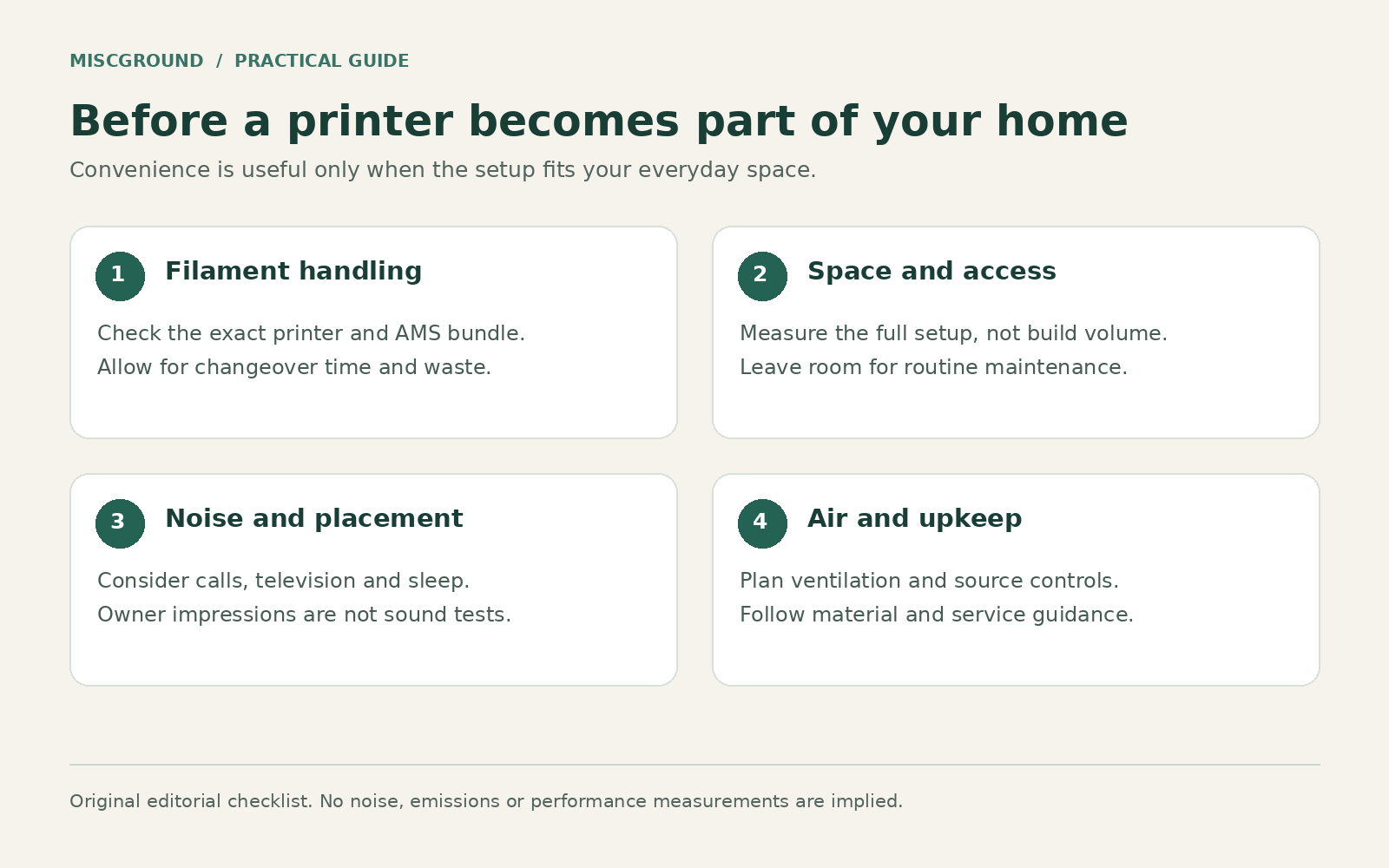
Original Miscground editorial diagram; a practical guide, not measured test results.
The P2S feels large in my home, and its sound is noticeable. I have not measured decibels, so I would not attach a numerical noise rating to that impression. Where you place it matters: a room used for calls, television, or sleep can make the same operating noise much more intrusive.
Measure the intended space and consider access around the printer rather than looking only at the build volume. If possible, hear a comparable machine operating before deciding where yours will live.
Low maintenance has not meant no maintenance
So far, maintenance has not felt especially demanding to me. That is not evidence that the machine is maintenance-free or that everyone will have the same experience. Follow the current manufacturer instructions for cleaning, inspection, consumable replacement, and any lubrication requirements. Check the relevant guidance for the exact component before applying a product or removing a part.
Filament odor is a placement issue, not just an annoyance
I notice filament smell. I have not identified its chemical composition or measured exposure. A stronger or weaker odor does not reliably tell you whether the air is safe.
NIOSH discusses particles and volatile organic compounds from desktop printing, including source controls and ventilation. An enclosure or filter should not be treated as proof that all emissions are eliminated. Choose a suitable operating area, follow material instructions, and keep children away from moving and heated components.
Would I recommend it?
My impressions are positive if you want to use community designs and value convenient filament handling. The reservations are practical: space, operating noise, material odors, and the responsibility of maintaining a machine at home.
Before buying, identify several useful things you would print, measure the intended location, plan ventilation, and compare the exact standalone and Combo listings available to you. The P2S is easier to justify when those practical requirements fit your home and your projects.
Cover: AI-generated conceptual illustration. It does not document the author’s home, actual prints, or a Bambu Lab P2S product. Body diagram: original Miscground graphic.